

Upgrading a computer sounds simple until you actually start looking around. One seller quotes one price, another quotes something completely different for the same product, and suddenly you’re not sure whether you’re getting a fair deal or being overcharged for a part that will be outdated in a year. If you’ve ever typed “shop pc parts” into Google late at night trying to figure out whether to upgrade your RAM or replace your ageing hard drive with an SSD, this guide is for you.
We’ll walk through what actually affects component pricing in India today, what a realistic computer RAM cost looks like right now, why 16GB RAM has become the standard most people should aim for, what kind of laptop SSD 512GB price you should expect to pay, and how to pick a computer hardware store you can actually trust with your money.
Why the Store You Buy From Matters as Much as the Part Itself
It’s tempting to think a RAM stick or an SSD is a RAM stick or an SSD, no matter where you buy it. In reality, the store matters a lot more than most buyers realise. A proper computer hardware store does three things that a random marketplace listing often doesn’t: it verifies the part is genuine before it ships, it gives you a real warranty path instead of a “contact the brand directly” shrug, and it stocks parts that are actually compatible with what people are buying today, not old stock nobody wants.
This is especially true for memory and storage, because these are the two components most frequently counterfeited or mislabelled online. A fake or refurbished-and-repackaged SSD can look identical to the real thing in a photo, but it will fail faster, run slower, and in the worst cases, lose your data with zero warning. Buying from a dedicated store that specializes in storage and memory — rather than a generalist electronics reseller — means the person packing your order actually understands what “genuine Kingston” or “genuine Crucial” packaging is supposed to look like.
Understanding Computer RAM Cost in 2026
RAM pricing isn’t fixed the way you might expect. It moves with global memory chip supply, the type of RAM (DDR4 versus DDR5), the speed rating (measured in MHz), and the CAS latency (the CL number, which affects how quickly the memory responds). A basic 8GB DDR4 stick will always be the cheapest option on the shelf, but it’s also the option most likely to leave you frustrated within a year, especially if you multitask, edit photos, or run more than a browser and one other application at a time.
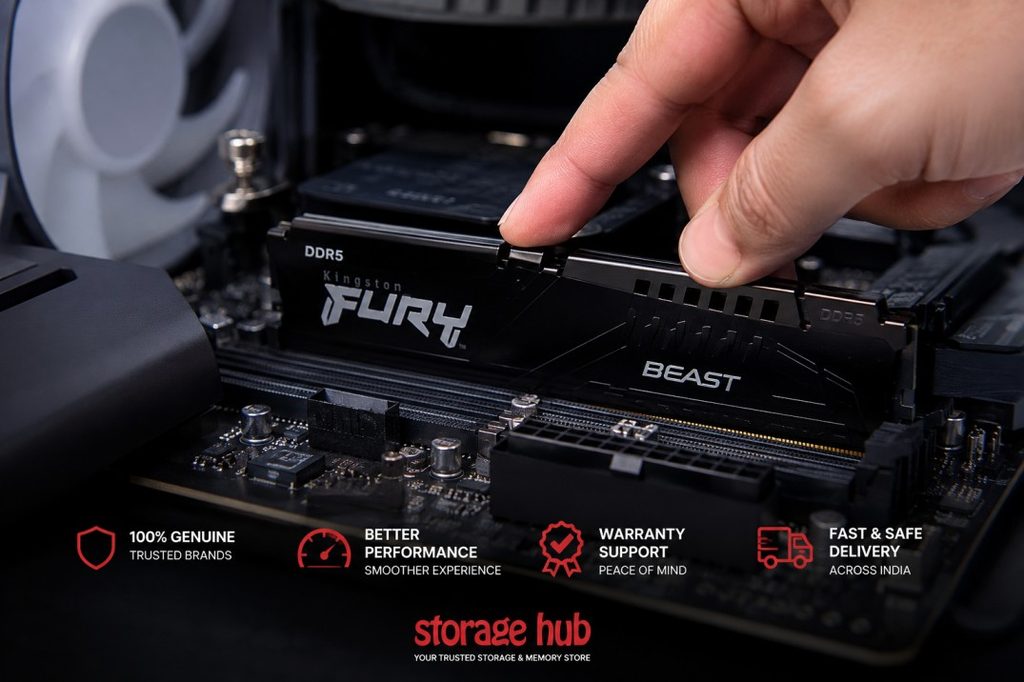
As a general rule of thumb for the Indian market right now, entry-level DDR4 desktop memory sits at the lower end of the price range, mid-range DDR5 desktop kits with decent speeds sit noticeably higher, and premium RGB-enabled, high-frequency DDR5 kits sit at the top. Laptop memory (SODIMM) is generally priced close to its desktop DDR4 equivalent, though DDR5 laptop RAM carries a modest premium because fewer laptops support it and demand is still catching up to desktop adoption.
The takeaway: don’t just compare a single number across two listings. Compare the RAM type, speed, and latency side by side, because a slightly more expensive stick with better timings can genuinely outperform a cheaper one doing the same job.
16GB RAM: The Sweet Spot for Most Users
If you’re deciding between 8GB and 16GB, the decision is easier than it looks. 8GB was comfortable a decade ago. Today, a modern browser with a dozen tabs open can eat through several gigabytes on its own, before you’ve even launched an editing tool, a game, or a video call. 16GB RAM has become the realistic minimum for anyone doing more than basic browsing and document work, and it’s the configuration most new laptops and pre-built desktops now ship with by default.
For gamers, students juggling multiple applications, and small business owners running accounting or design software, 16GB strikes the right balance: it’s affordable enough not to feel like overkill, but generous enough that you won’t be staring at a frozen screen while your system struggles to free up memory. If your budget allows it and your motherboard or laptop supports dual-channel configuration, buying two matched sticks (like 2x8GB) instead of one single 16GB stick can also give you a small but real performance boost, since dual-channel memory access is faster than single-channel.
Laptop SSD 512GB Price: What You Should Actually Pay
Few upgrades transform an old laptop faster than switching from a spinning hard drive to a solid-state drive, and 512GB has become the practical sweet spot for storage — enough room for an operating system, your applications, and a reasonable media library, without paying a steep premium for a full terabyte you may never fill.
When it comes to laptop SSD 512GB price, the format matters a lot. A 2.5-inch SATA III SSD is generally the most budget-friendly option and a straightforward swap for most older laptops with a hard drive bay. An NVMe M.2 SSD, which plugs directly into the motherboard and uses the much faster PCIe interface, costs somewhat more but delivers dramatically quicker boot times and file transfers — the difference is very noticeable if you’re moving large files or working with video. Brand also plays a role: established names with proven reliability records are typically priced a little higher than lesser-known budget brands, and for a component holding your entire operating system and personal files, that difference is usually worth paying for.
Before buying, always double check whether your laptop supports SATA, NVMe, or both, since installing the wrong form factor SSD simply won’t fit or won’t be recognized by your system.
Final Tips Before You Shop PC Parts Online
A few habits will save you money and headaches every time you shop pc parts online:
- Always check the exact model number, not just the brand name, since specifications can vary significantly between similar-sounding products.
- Compare CAS latency and speed for RAM, not just capacity.
- Confirm your laptop’s SSD interface (SATA or NVMe) before ordering.
- Buy from a store that clearly states warranty terms and stocks genuine, traceable stock.
- Don’t assume the cheapest listing is the best value — factor in warranty support and return policy.
At StorageHub, we focus specifically on memory and storage products from trusted brands like Kingston, Crucial, WD, Samsung, and Patriot, with clear pricing and genuine warranty support on every order. Whether you’re comparing 16GB RAM kits for a desktop build or looking for the right 512GB SSD to breathe new life into an old laptop, browsing our storage and memory categories is a good place to start before you make your next upgrade.
Deprecated: File Theme without comments.php is deprecated since version 3.0.0 with no alternative available. Please include a comments.php template in your theme. in /home/u929656440/domains/storagehub.in/public_html/wp-includes/functions.php on line 6260